
Case Study: Protecting the CRM from Bad Data
Turning Hours of Manual List Cleanup into a Guided Workflow
Context
This was a portfolio project built with Claude Code, designed from the perspective of a marketing operations lead who receives contact lists from events and campaigns and needs them cleaned before CRM import. The work included defining the cleaning rules, designing the review workflow, and turning both into a working list-cleaning tool.
Tool Profile
A CSV list-cleaning tool for marketing and event contact lists.
Built to prepare lists for import into Marketo, using Marketo's field standard.
Reference lists (competitor, vendor, and employee domains, territory rules, and exceptions) live in Notion so they can be updated without touching the tool.
Target territory is a fixed country list: US, Canada, UK, Norway, Sweden, and Denmark.
Challenges
Event and campaign lists arrive with inconsistent column headers that don't match the CRM
Duplicate contacts slip through and clutter the database
Competitors, vendors, and employees end up on lists meant for prospects
Out-of-territory and missing-country contacts are easy to miss
Fully automatic cleaning risks deleting good contacts with no chance to review
Goals
Map uploaded columns to the CRM field standard quickly and consistently
Remove duplicates without merging two different people who share an email
Flag non-target contacts without deleting anything until a person decides
Make the review fast by handling the biggest decisions in bulk first
Let the tool learn new competitors and vendors as they come up
Process
Defined the cleaning rules: what counts as a duplicate, a non-target contact, and an out-of-territory lead
Chose email-domain-only matching, with no company-name matching and no flagging of near-miss domains, to keep flags accurate
Set duplicate checks to run within the uploaded list only, matching on both email and name
Added a column-mapping step first, where the tool suggests matches that I can confirm, change, or ignore, with confirmed mappings saved in Notion for reuse
Designed a two-stage review: domain-level flags decided in bulk, then individual flags reviewed case by case, ordered by domain
Added the ability to create ad hoc flags during review so new competitors and vendors get taught to the system
Kept the demo version simple by leaving out a save-in-progress feature
Collaboration
Marketing Operations Lead (rules, requirements, and review decisions)
Claude Code (build partner for the tool's logic and interface)
Sales and CRM stakeholders (represented through territory rules and field standards)
Tools
Claude Code (tool build)
Notion (reference lists, territory rules, exceptions, and saved column mappings)
Marketo field standard (column-mapping target)
CSV files (input and final cleaned output)
Output: Easy-to-Use List Scrub Ninja Tool
Step 1: Upload and Map
User uploads a CSV contact list from any event or campaign (image 1)
User reviews tool-suggested matches between the list's column headers and Marketo fields, then confirms, changes, or ignores each one (image 2)
Confirmed mappings are saved, so the same list format maps automatically next time
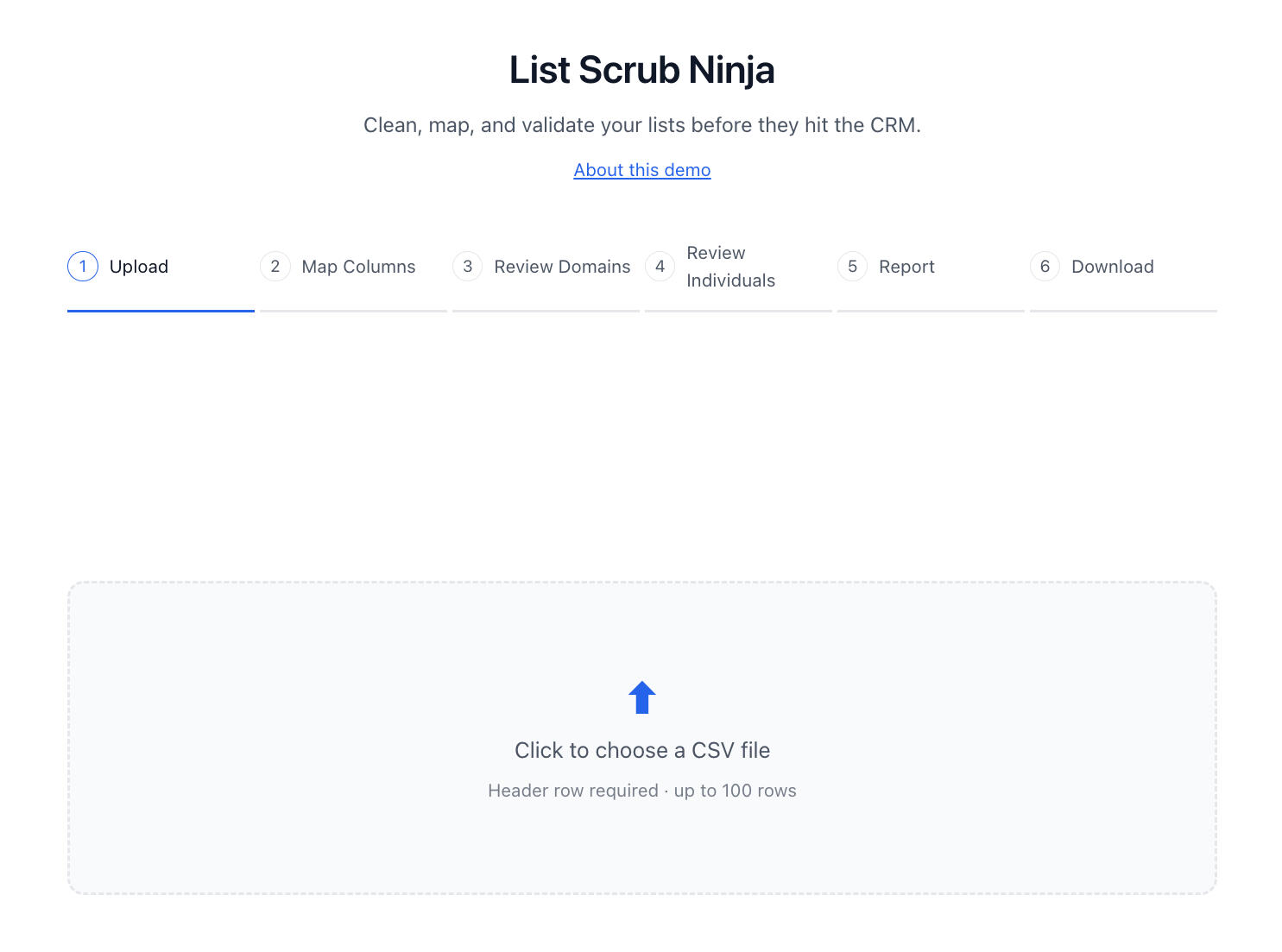
Image 1: Upload a CSV
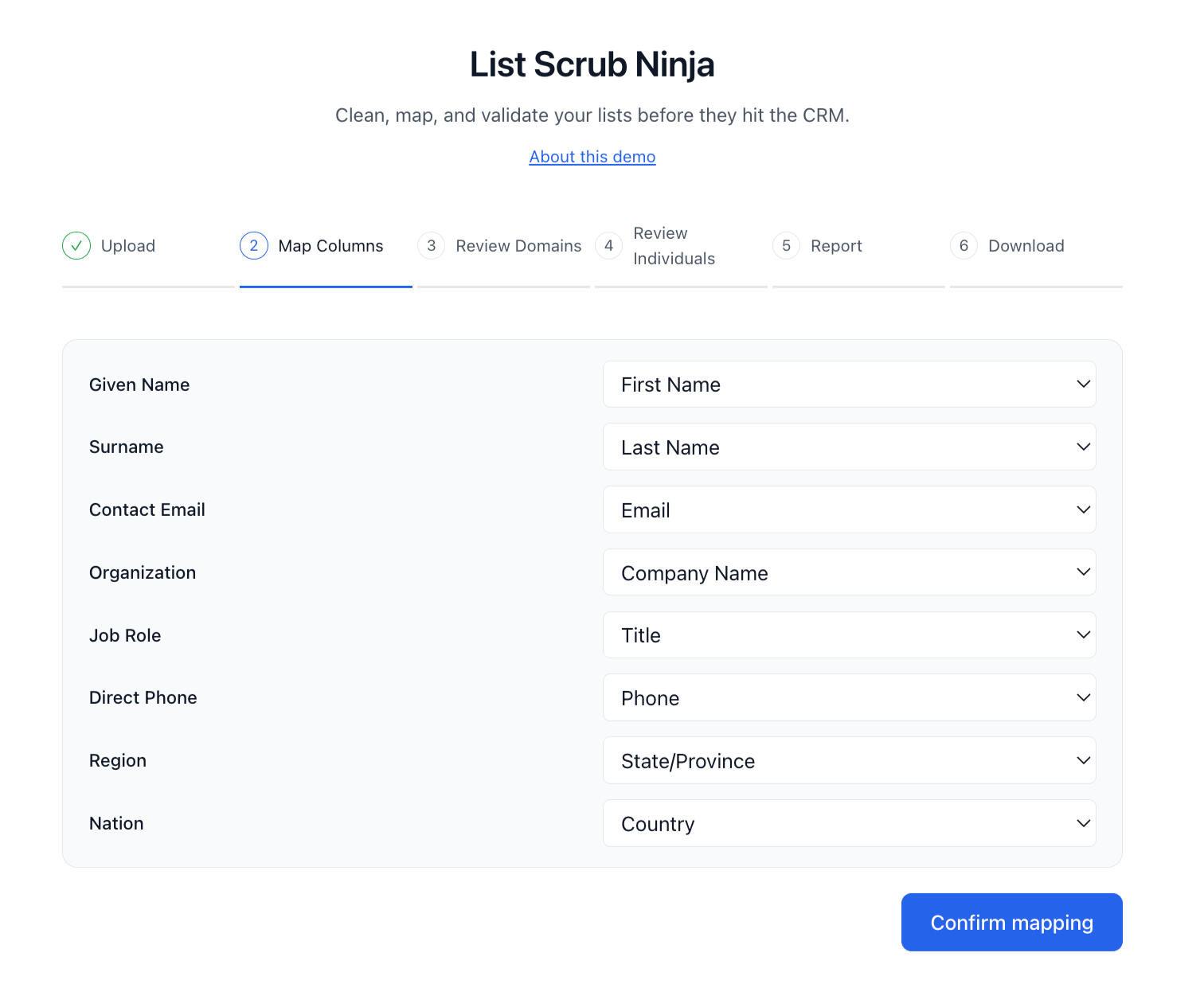
Image 2: Map fields
Step 2: Automated Duplicate Removal
The tool finds duplicate contacts within the list that match on both email and name
Two different people who share one email are kept as separate contacts
Step 3: Review Company-Level Flags
User views every competitor, vendor, and employee domain the tool found, grouped by domain
User can choose to keep or remove all contacts from a flagged domain in one decision (ie., a competitor), or drill down to individual contacts within the same domain (image 3)
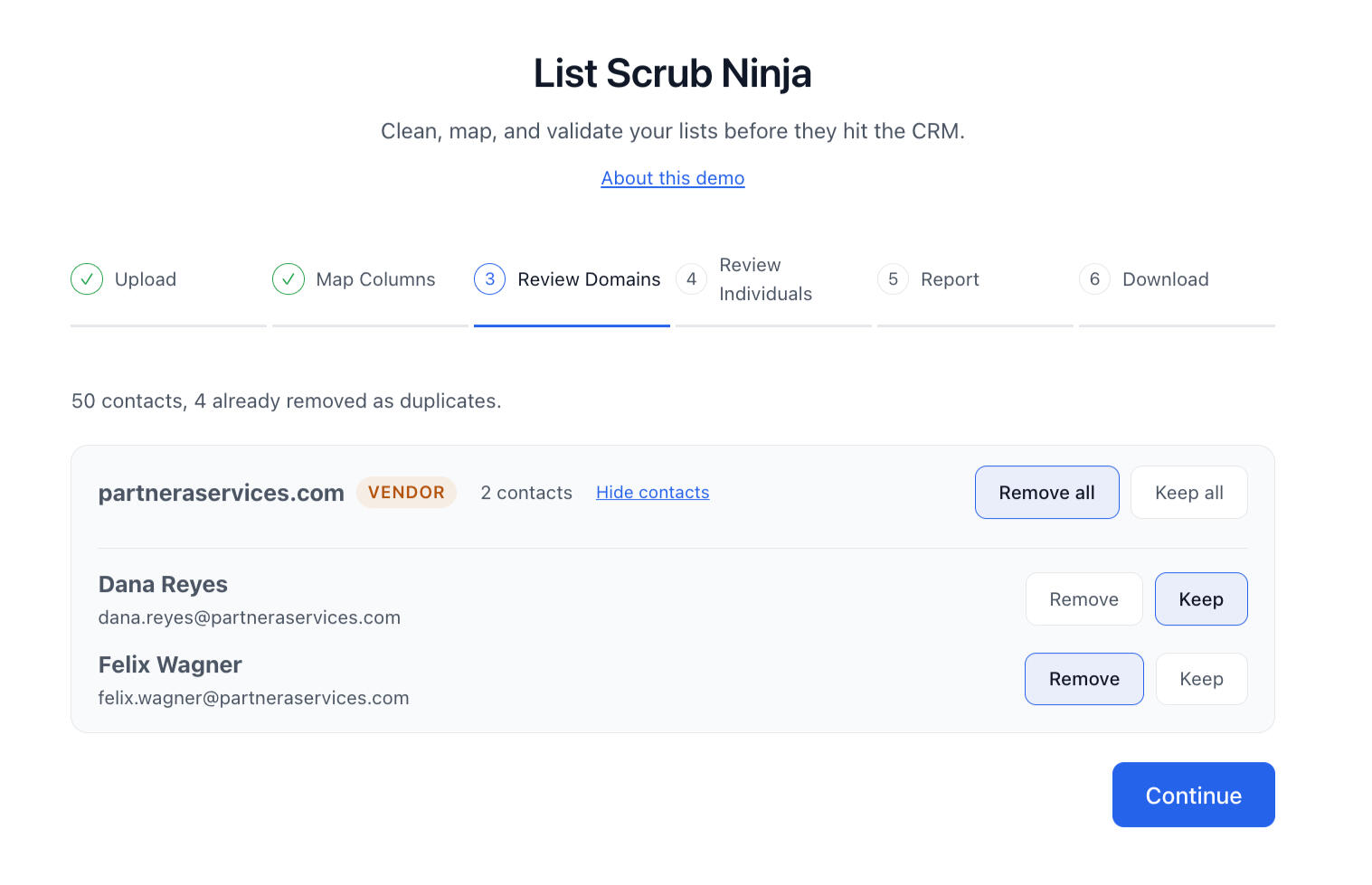
Image 3: Keep or remove domain contacts
Step 4: Review Individual Flags
Step through out-of-territory contacts and contacts missing a country, one at a time, grouped by domain
User indicates whether to keep or remove each contact individually (image 4)
The system learns flagged competitors and vendors, saving time on future runs
Nothing is removed until a decision is made during review
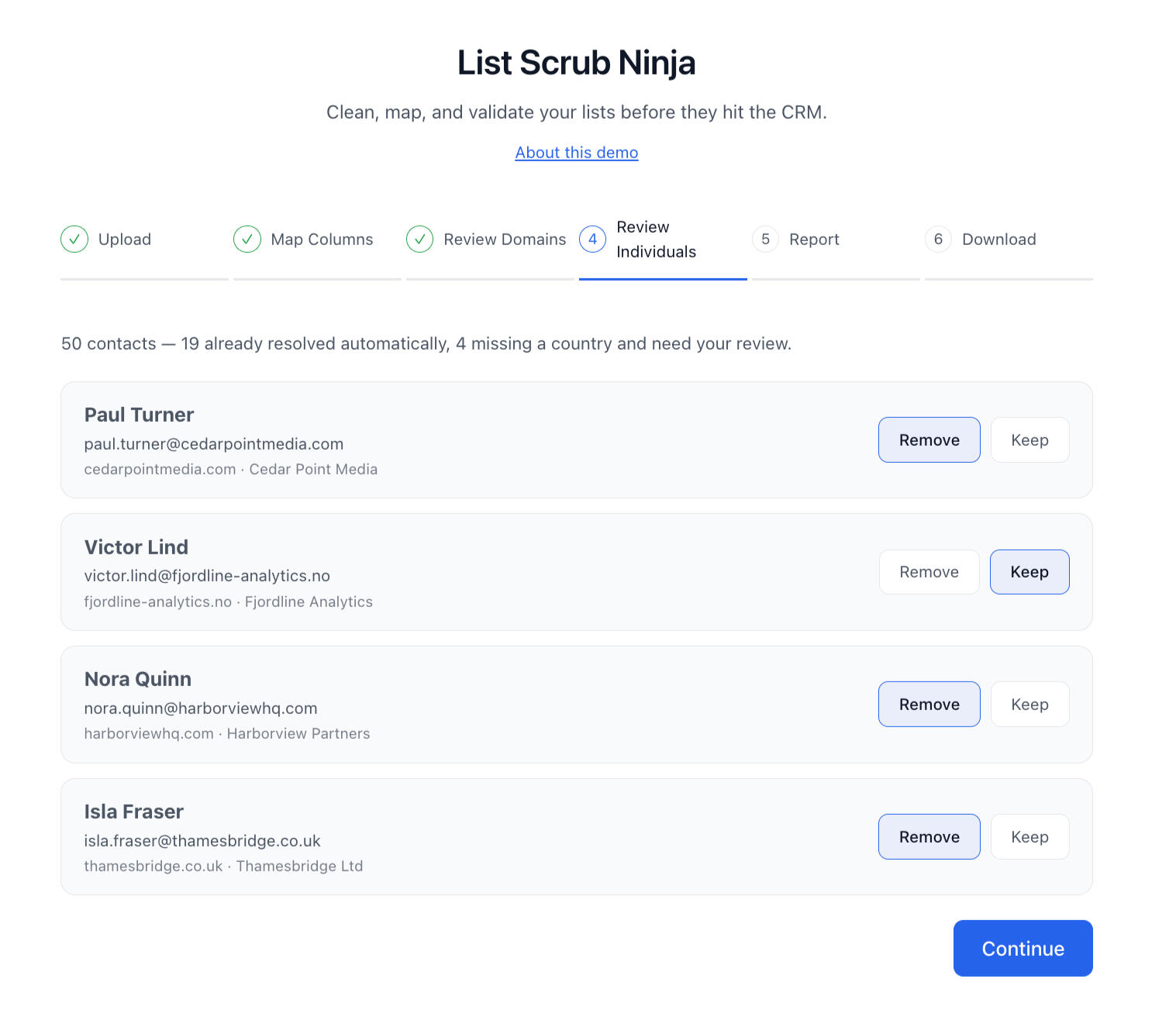
Image 2: Keep or remove contacts flagged for territory mismatches
Step 5: Export
User can copy or download a PNG report of findings (image 5)
User is able to download a final cleaned CSV, ready to import into the CRM (image 6)
User also has the option to download a CSV of removed contacts as a QA. measure. (image 6)
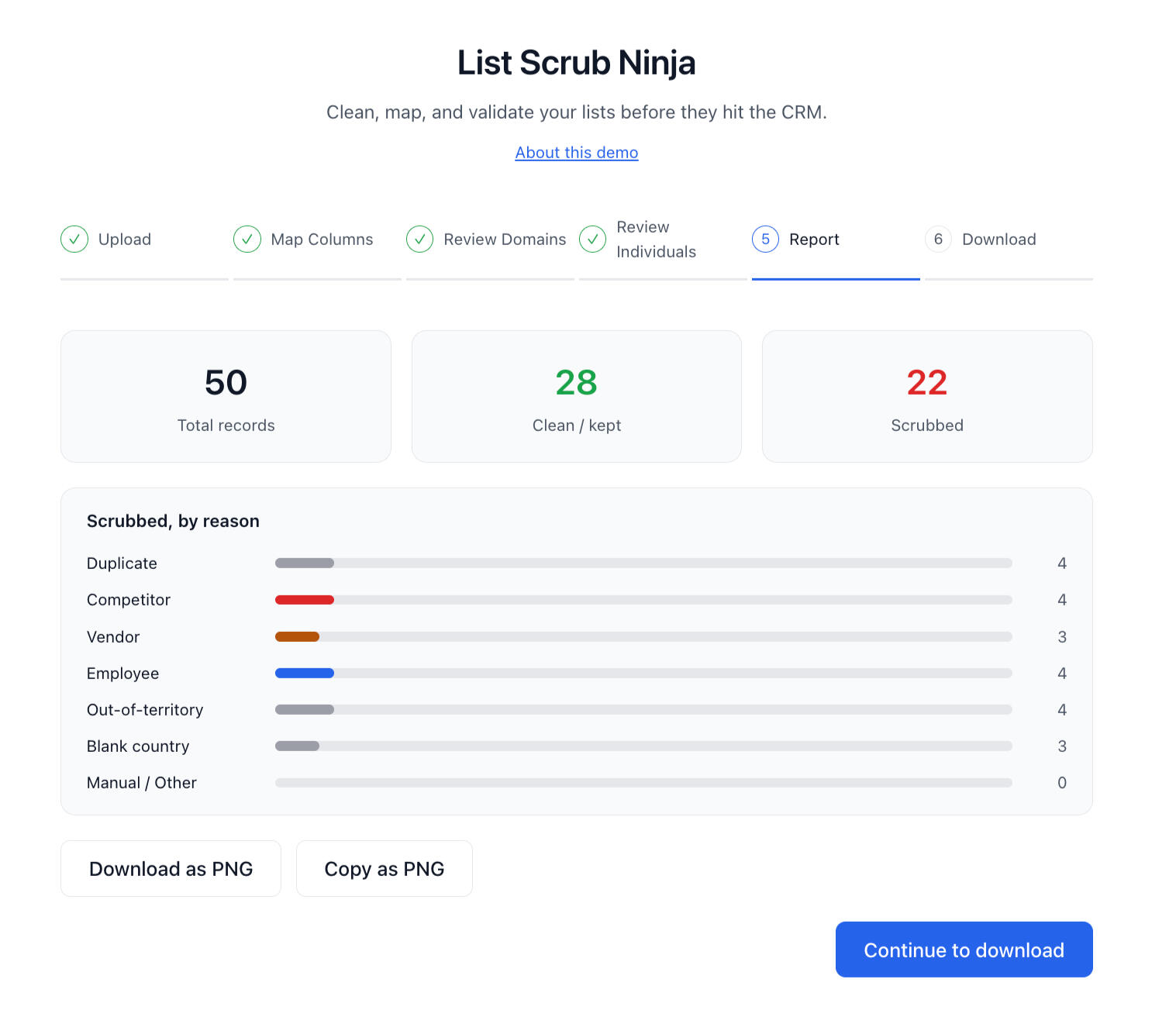
Image 5: View and download a results report
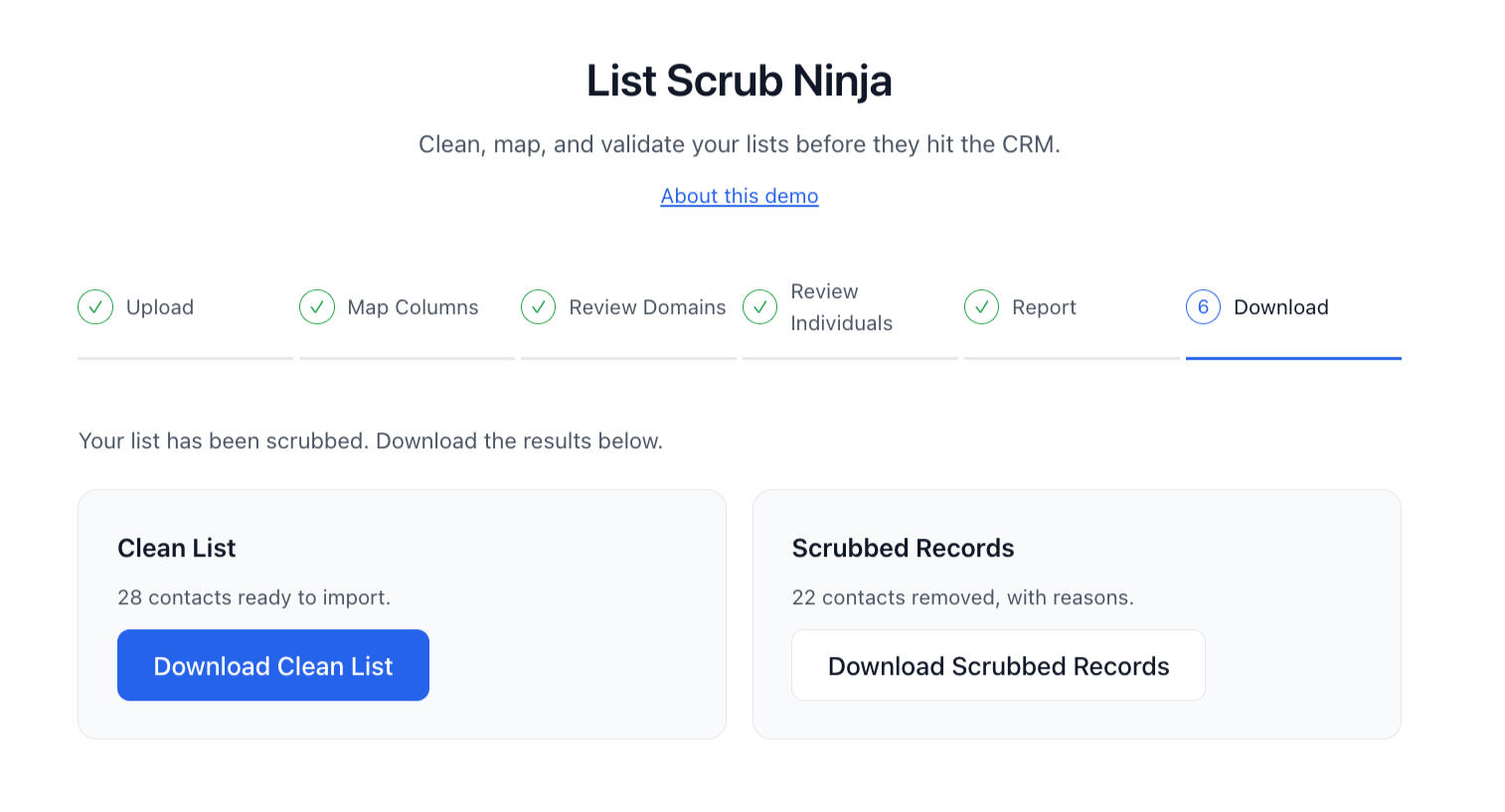
Image 6: Download your clean list and/or list of scrubbed records
Expected Impact
Cleaner CRM data with fewer duplicates and non-target contacts
MOPs is freed from tedium and time spent with manual list-scrubbing processes.
More confidence from sales that the leads they receive are in-territory and real prospects
Faster list prep through saved mappings and bulk decisions
No accidental deletions, thanks to a non-destructive review step
Reference lists grow smarter with every list reviewed
Key Takeaways
Clear rules matter more than clever matching
Keep a person in the loop before anything is removed
Put the biggest decisions first so review stays fast
A tool that learns from each review gets more useful over time
Home | AI Skillset | Core Skills | AI Expertise | Asana | Marketo | About Me | Contact